Modules

Streamline Clinic Operations With Flexible, All-in-One Controls

Manage settings, staff, availability, and finances from one central dashboard, built to reduce overhead and keep your clinic running seamlessly.
Our Main Features

Enjoy Our Best Features.

From configuring business settings to managing staff and streamlining financial workflows, our clinic management tools give you full control behind the scenes, so your practice runs smoothly, every day.
Our Main Features

Why Should You Choose Us?

Our clinic management tools put you in control of the details that keep your practice running, from configuring business settings and staff roles to streamlining payments and financial operations. Built for flexibility, they scale with your team and simplify day-to-day operations behind the scenes.

Clinic Information & Settings

Customise your clinic’s core settings with ease, from business details and branding to operating hours, locations, and notification preferences. Whether you’re a solo practitioner or managing multiple sites, you can configure everything to suit how your clinic works, all from one intuitive dashboard.

Employee & Practitioner Management

Easily onboard new team members, manage practitioner profiles, and control access across roles. Set practitioner availability, define permissions, and keep your team aligned with smart tools that adapt to your clinic’s structure and staffing needs, no spreadsheets or manual updates required.

Finance, Tax & Payment Scheduling

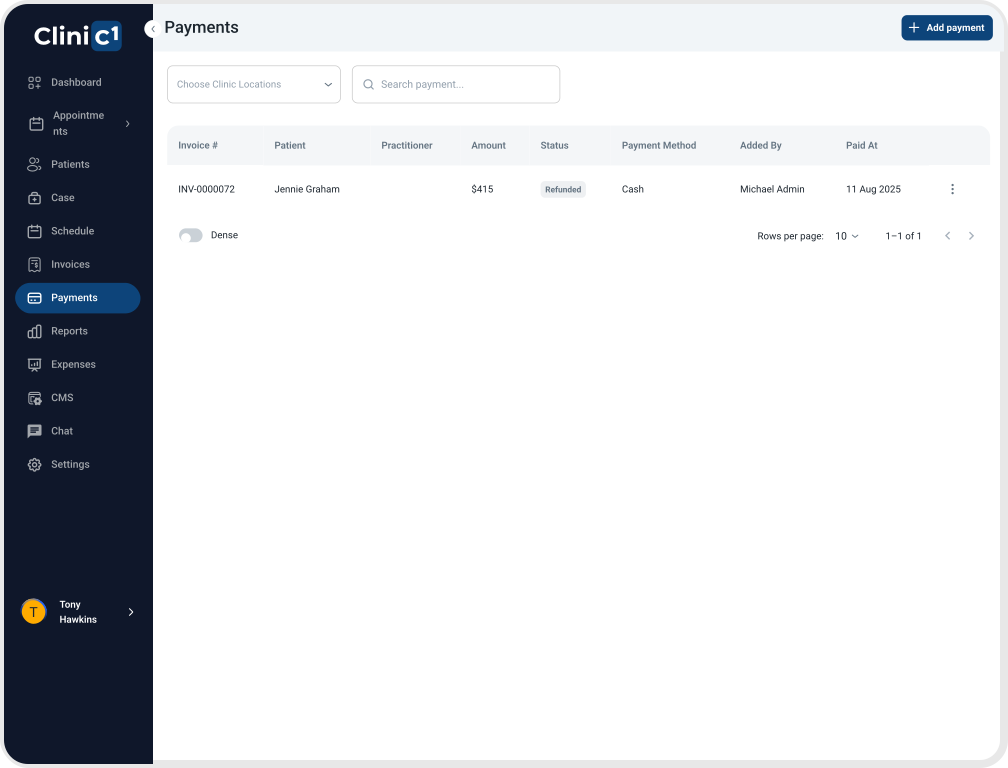
Simplify financial setup across your clinic with configurable tax rates, payment schedules, and service-specific billing rules. Whether it’s setting up Medicare item codes, adjusting pricing structures, or managing when and how payments are processed, you stay in control while reducing admin complexity.

Group booking & Classes

Schedule appointments for multiple patients at the same time with one practitioner, perfect for group classes, workshops, or group therapy sessions. Practitioners can create group bookings with up to 50 attendees, and patients can easily join available group sessions, with each participant getting their own individual appointment record linked to the group.

FAQ

Frequently Asked Questions

What kind of clinic information can I manage in the system?
You can configure your business details, operating hours, locations, and notification preferences — all from a central dashboard. Whether you operate a single site or multiple locations, Clinic1 makes it easy to tailor settings to your clinic’s structure.
Absolutely. You can add or edit team members, assign roles, and control who can access what. From reception staff to practitioners, permissions and availability can be customised to match your clinic’s workflows — no spreadsheets needed.
Clinic1 lets you set clinic-wide tax rates, create payment schedules, and define service fees. You can also manage Medicare item codes and configure when and how payments are processed — reducing manual admin and ensuring compliance.
Yes. Clinic1 streamlines onboarding by allowing you to create practitioner profiles, assign their working hours, and align their access with their role — making it easy to scale your team without extra complexity.
Clinic1 is designed by a clinician, for clinicians. It simplifies operations behind the scenes while giving you full control of clinic settings, staff management, and financial processes — all from one intuitive system that adapts to your clinic’s needs.
Contact Us

Get Started

Experience Clinic1 – the smarter way to run your clinic.
Set up your account today and discover how Clinic1 streamlines patient management, bookings, and billing all in one platform.Ready to begin? Create your account now and see the difference from day one.
Prefer a direct line? Reach us anytime at info@Clinic1.ai


    Industry News

    Our Latest Insights

    Explore the latest trends and breakthroughs in healthcare technology and patient care management.