Modules

Standardise Your Workflow With Customisable Templates

Create, manage, and reuse treatment notes, letters, and patient forms with flexible templates built for clinical precision.
Our Main Features

Enjoy Our Best Features.

Create, customise, and streamline every note, letter, and patient form, your clinic’s documentation, your way.
Our Main Features

Why Should You Choose Us?

Easily build, customise, and reuse templates for treatment notes, letters, and patient forms, designed to match your workflow.

Assessments

Track the status of every assessment or form in real time — no need to chase or double-check. Practitioners have full visibility into what patients have completed via the dashboard, while patients receive confirmations and reminders through the Patient App to stay engaged and accountable. The system also calculates real-time scores based on patient progress and form responses, providing instant performance insights.

Tasks

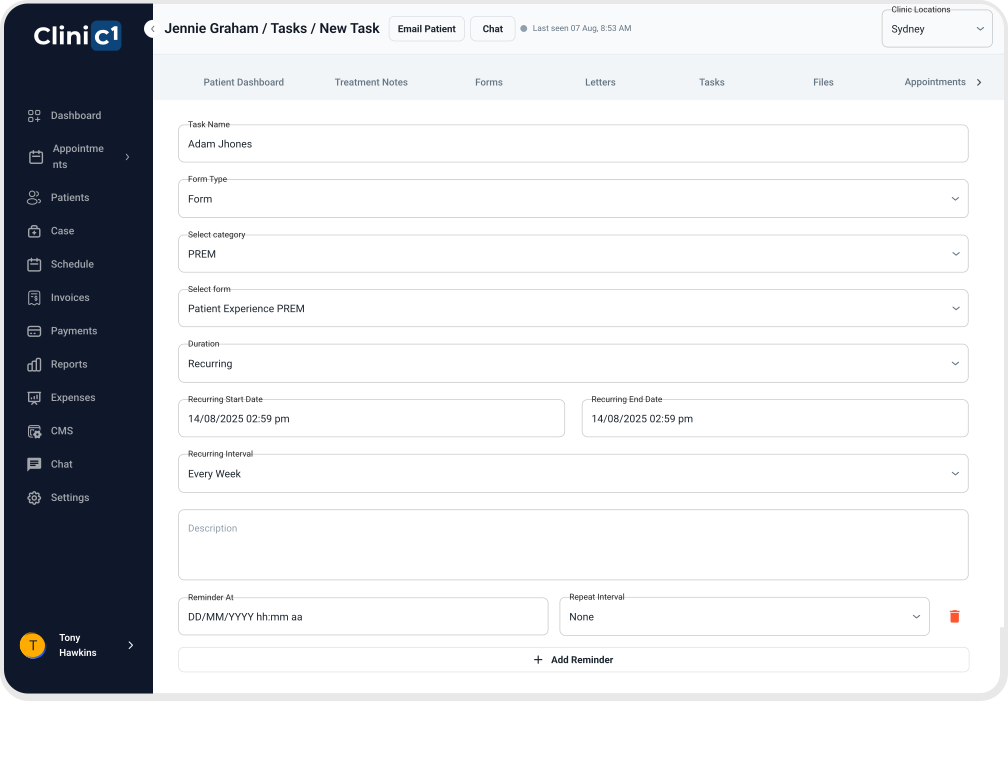
Create and assign tasks to patients or staff with ease, whether it's completing a form, following an exercise plan, or preparing for an upcoming consult.

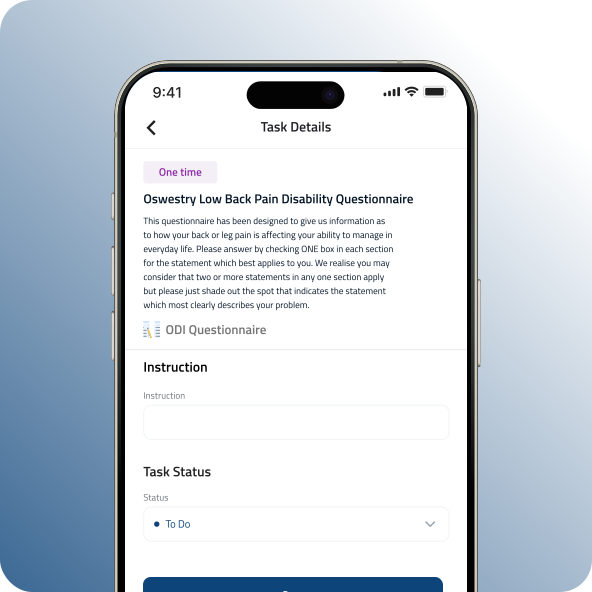
Tasks appear directly in the Patient App, giving patients a clear to-do list while allowing practitioners to manage internal workflows without back-and-forth communication.

Patient Form Management

Collect the information you need, efficiently and on your terms. Clinic1’s Patient Form Management lets you build and manage digital intake, consent, and feedback forms that align with your clinic’s unique processes.

Choose from existing templates or create your own with custom fields, appointment linking, and optional file uploads. Patients can complete forms online ahead of time, reducing wait times and ensuring you’re fully prepared before each consult.

All submitted forms are securely stored and easily accessible in the patient record, streamlining admin without sacrificing thoroughness.

Reminders

Automated reminders keep everyone on schedule. From upcoming appointments and expiring forms to exercise check-ins, the system sends timely notifications via the Patient App, reducing no-shows, missed steps, and the need for manual follow-ups from your team.

FAQ

Frequently Asked Questions

How do I share an outcome measure using 'Tasks'?
First, use the Clinic1 Form Builder to create your outcome measures. You can organise them into categories like patient forms, low back questionnaires, or anything your clinic requires. Once created, simply go to the patient dashboard and send the form as a Task.
Tasks appear on the patient’s app homepage on the days they’re scheduled. If a task is missed, it remains visible on the homepage until it’s completed—keeping patients accountable.
Yes. Task completion can be monitored from both the patient dashboard and the practitioner dashboard, giving you full visibility on engagement and follow-through.
No problem. You can create a custom Task with specific descriptions, deadlines, and reminders. The patient will receive timely notifications through the app to help keep them on track.
Yes. Clinic1 comes with a library of commonly used, industry-standard outcome measures ready for immediate use—so you can get started from day one.
Contact Us

Get Started

Experience Clinic1 – the smarter way to run your clinic.
Set up your account today and discover how Clinic1 streamlines patient management, bookings, and billing all in one platform.Ready to begin? Create your account now and see the difference from day one.
Prefer a direct line? Reach us anytime at info@Clinic1.ai


    Industry News

    Our Latest Insights

    Explore the latest trends and breakthroughs in healthcare technology and patient care management.